I get an "It is operating with POE Class 0 Power Supply" error, even though it is connected to a POE+ switch. What do I do?
- Network Cameras
- Installation/Configuration
- Troubleshooting
Enable LLDP on the PoE switch. Without LLDP, the camera may be recognized as Class 0 even if sufficient power is available.
■ Problem
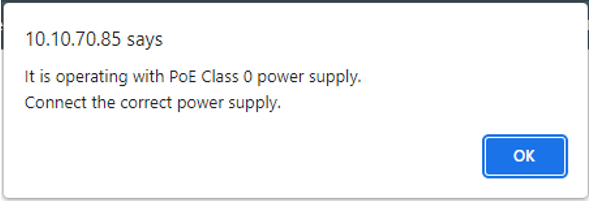
The camera displays the following error message even though it is connected to a PoE+ switch:
“It is operating with POE Class 0 Power Supply. Connect the correct power supply.”
■ Cause
If LLDP (Link Layer Discovery Protocol) is disabled on the switch, the camera cannot correctly identify the required power class and may default to Class 0.
■ Solution
Enable LLDP on your PoE switch (e.g., Cisco switch)
Reconnect or reboot the camera after enabling LLDP
This enables the camera to correctly identify the required power class and resolves the error
■ Additional Information
LLDP is a protocol that allows network devices to advertise their capabilities to each other, including power requirements.
■ Reference
Article number:us-en124476
Last updated:June 11, 2026
Was this article helpful?
Thank you for your feedback!