How can I upgrade, save, and restore the WV-ASM300 software?
- Management Software(ASM)
- Installation/Configuration
Please refer to the procedure below for upgrade, save and restore.
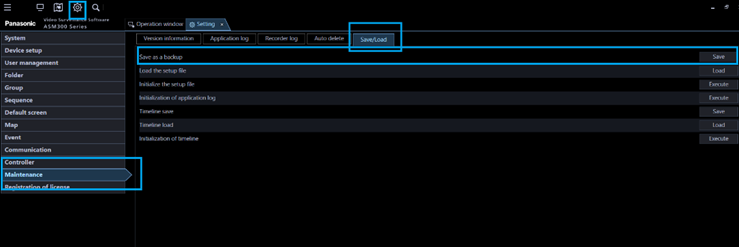
Step 1: Save setup data as backup before upgrading
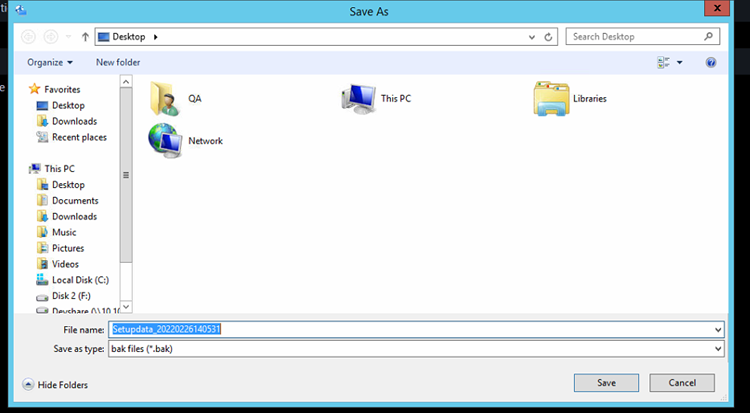
ASM300 Settings / Maintenance / Save-Load / Save as a Backup and select the location desired.
This is not required for the upgrade, but it is best practice to always make a backup.
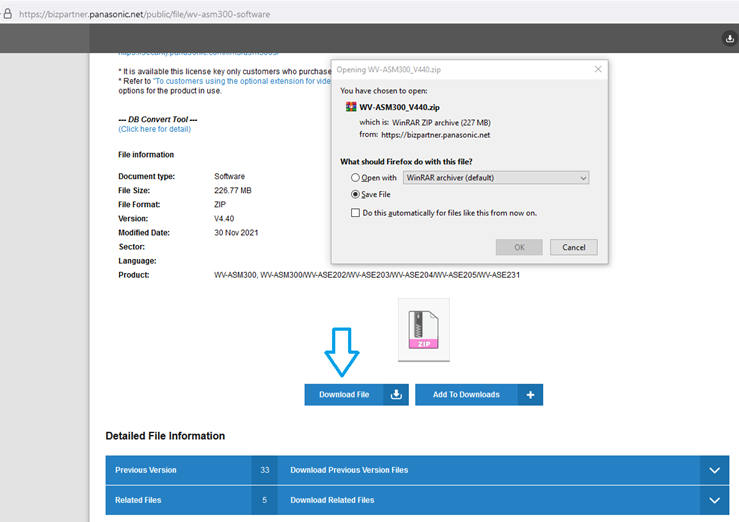
Step 2: Download and install the latest version of the Software
Step 3: Review configuration and operation
The ASM300 licenses and configuration is preserved during the upgrade.
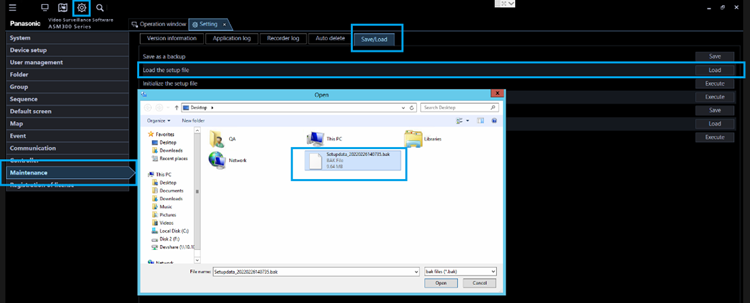
If for some reason the configuration was reset, the setup file can be restored.
ASM300 Settings / Maintenance / Save-Load / Load the setup File
Article number:en124676
Last updated:October 20, 2025
Was this article helpful?
Thank you for your feedback!