How do I check the MAC address of network camera?
- Network Cameras
- Operation
You can check it from the camera browser, i-PRO Configuration Tool (iCT) or IP Setting Software.
(1) Camera browser
[ Setup ] → [ maintenance ] → the MAC address is displayed on the [ Upgrade ] tab of the page.
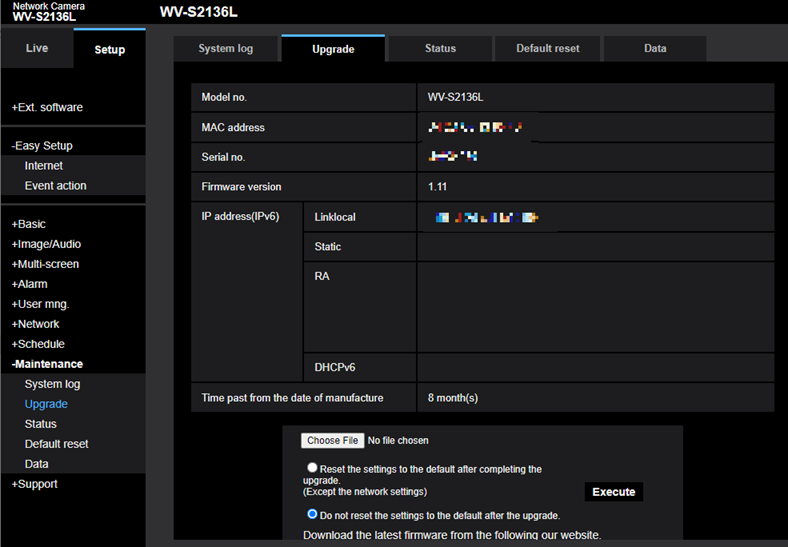
(2) i-PRO Configuration Tool / IP Setting Software
You can find MAC address using these tool.
These software is available at following URL.
Design Tools.
Article number:eu-en121411
Last updated:June 11, 2025
Was this article helpful?
Thank you for your feedback!